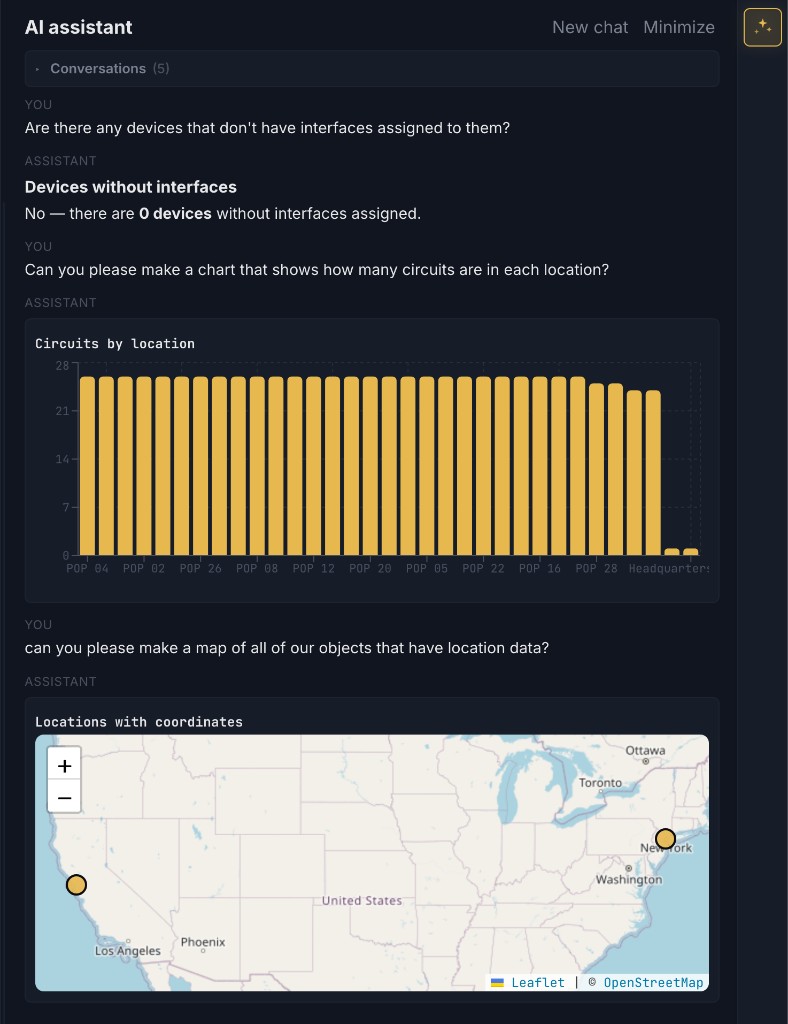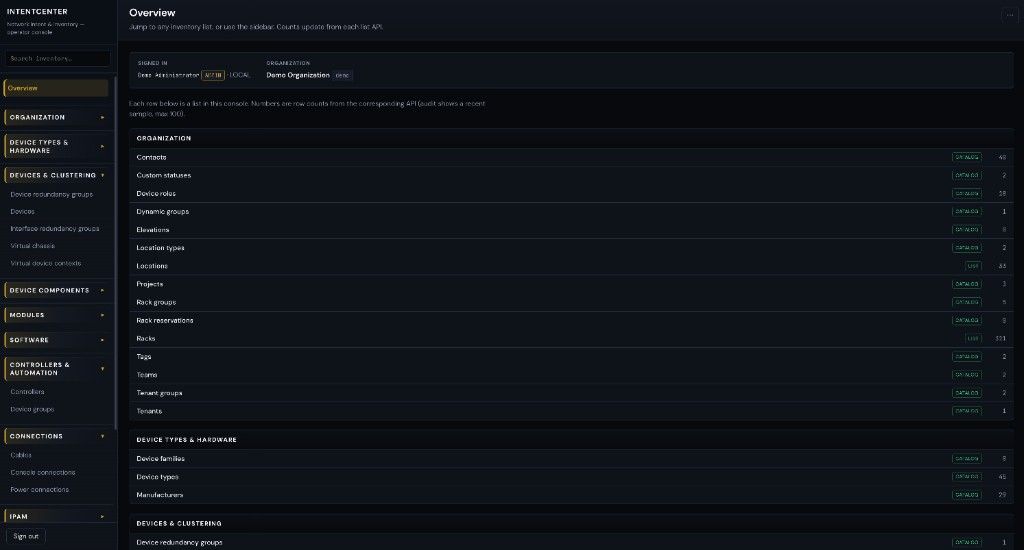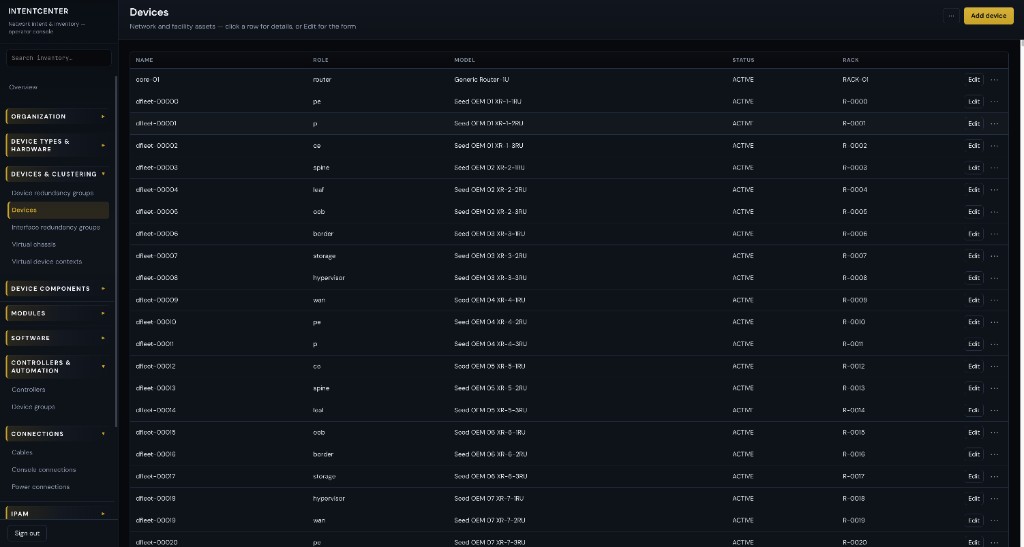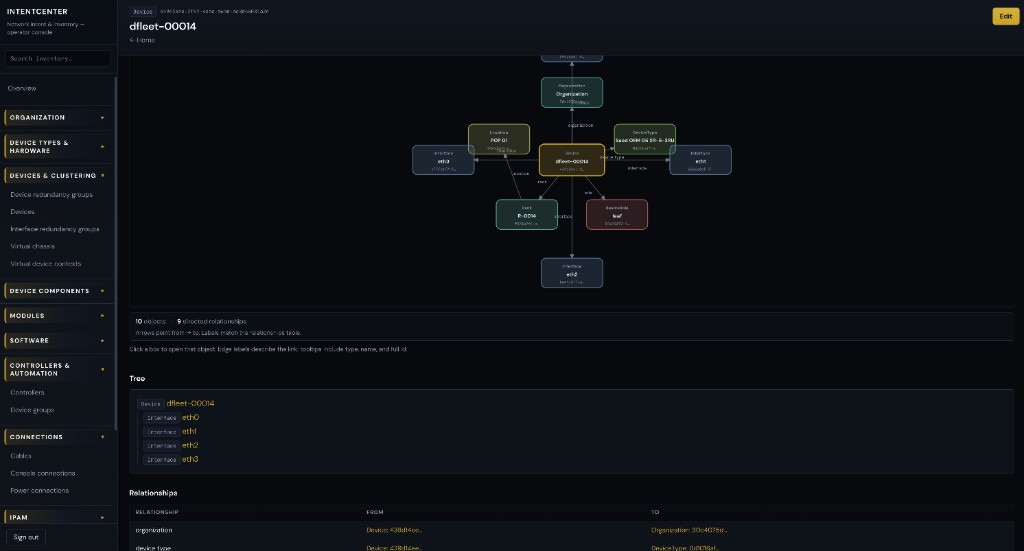
IntentCenter

IntentCenter — network automation & DCIM platform

Project: IntentCenter · Repository: github.com/amne51ac/intentcenter · README on GitHub

Documentation website (GitHub Pages): after enabling Pages from the /docs folder on main, the static site is served at https://amne51ac.github.io/intentcenter/ — landing page, console-aligned styling, screenshots, full doc hub, architecture (Mermaid), roadmap, platform API summary, LLM design, clean-room index, and brand guide. See docs/README.md.

This repository captures clean-room research and a product roadmap for IntentCenter: a new network source of truth, DCIM, and network automation platform aimed at provider and distributor scale: ISPs, backbone operators, hyperscale-adjacent network teams, and large infrastructure organizations that need throughput, resilience, and operational maturity—not lab-sized tooling.

The work is inspired by design lessons synthesized from multiple reference systems (documented under cleanroom/ using neutral Source A–H and Additional Source 1 designations). This codebase does not copy any third-party source; it is a planning and specification home for a greenfield implementation.

Diagrams: High-resolution visuals (context, containers, deployment, sequences, plugins) live in docs/architecture.md. Key figures are inlined below for quick reading on GitHub.


Vision (one paragraph)

Build an API-first, multi-region, multi-cloud-deployable platform that is the authoritative intent for network and facility inventory, orchestrates change through safe automation, integrates with BSS/OSS-adjacent and cloud ecosystems where needed, and scales to high cardinality objects, high write/read API rates, and always-on operations—with plugins, integrations, and policy as first-class citizens.


Architecture at a glance

System context

Operators, enterprise systems, and automation peers interact with the platform; it remains the system of record for intent while delegating execution to adapters.

flowchart TB
  subgraph actors["People & operators"]
    NOC[NOC / NetOps]
    DC[Data center / field]
    Sec[Security / compliance]
  end

  subgraph machines["Automation & platforms"]
    CI[CI/CD & Git]
    Ext[External orchestrators]
    Mon[Monitoring stacks]
  end

  subgraph north["Northbound & enterprise"]
    BSS[BSS / OSS-adjacent]
    ITSM[ITSM / ticketing]
    IdP[Identity / SSO]
  end

  Platform[(Network automation & DCIM platform)]

  NOC --> Platform
  DC --> Platform
  Sec --> Platform
  CI --> Platform
  Ext --> Platform
  Mon --> Platform
  BSS --> Platform
  Platform --> ITSM
  IdP --> Platform

Logical containers (how it decomposes)

The edge stays stateless; core services own domain consistency; workers handle rate-limited and long-running work; plugins extend without forking core.

flowchart LR
  subgraph edge["Edge & API"]
    GW[API gateway / BFF]
    REST[REST vN]
    GQL[GraphQL read]
  end

  subgraph core["Core domain"]
    INV[Inventory & DCIM]
    IPAM[IPAM]
    CIR[Circuits & topology]
    AUTO[Automation & policies]
  end

  subgraph async["Async & integration"]
    Q[Queues / streams]
    WRK[Workers & adapters]
    EVT[Events & webhooks]
  end

  subgraph data["Data"]
    DB[(DB)]
    OBJ[(Artifacts)]
  end

  subgraph ext["Extensibility"]
    PH[Plugin host]
  end

  GW --> REST
  GW --> GQL
  REST --> INV
  GQL --> INV
  INV --> DB
  IPAM --> DB
  AUTO --> Q
  Q --> WRK
  WRK --> EVT
  INV --> EVT
  AUTO --> OBJ
  PH --> REST

Control plane vs data plane

Intent and policy live in the control plane; jobs and adapters execute in the data plane. Reconciliation closes the loop so drift is visible and actionable.

flowchart TB
  subgraph cp["Control plane"]
    SOT[Authoritative intent]
    POL[Policy & approvals]
    AUD[Audit & change log]
  end

  subgraph dp["Execution"]
    JOBS[Jobs / workflows]
    ADP[Adapters]
    OBS[Observed state ingest]
  end

  NET[(Network & infra)]

  SOT --> POL
  POL --> JOBS
  JOBS --> ADP
  ADP --> NET
  NET --> OBS
  OBS --> SOT
  JOBS --> AUD
  SOT --> AUD

More diagrams (multi-region deployment, end-to-end change sequence, plugin boundary) are in docs/architecture.md.

Implementation status: The diagrams above describe the target platform (queues, workers, multi-region, and similar). The code under platform/ today is a Phase 1 skeleton: one FastAPI process, PostgreSQL, Prisma for migrations only, optional React static assets served by the API. There is no separate worker tier or Celery-style queue in-tree yet (see roadmap Phase 2).


How we will use the cleanroom output

The cleanroom/ tree holds capability and architecture notes derived from reference platforms (open-source and one commercial marketing survey). We use it in four concrete ways:

  1. Requirements & domain model — Consolidate overlapping concepts (DCIM, IPAM, circuits, virtualization, cloud-adjacent objects, jobs, events) into a single coherent model tuned for provider semantics (tenancy, hierarchy, bulk operations, long-lived identifiers).
  2. Platform vs. product boundaries — Decide what is core platform (auth, tenancy, audit, APIs, jobs, events, plugin host) versus optional apps (e.g. compliance, discovery adapters, reporting packs), using Source A’s automation-platform posture as a baseline and AS1’s “active inventory + orchestration + assurance” framing where it informs operator-scale packaging.
  3. Non-functional targets — Translate comparison notes into SLOs: API latency under load, ingestion rates, worker throughput, RPO/RTO, multi-AZ behavior, and horizontal scaling stories for stateless tiers.
  4. Differentiation — Explicitly borrow ideas (not code), e.g. lightweight IPAM ergonomics (Source C), asset lifecycle depth (Source D), DDI-adjacent patterns (Source E), observability adjacency (Source F), facility reporting (Sources G–H), and commercial suite integration patterns (Additional Source 1)—only where they fit provider-scale requirements.

Traceability sketch (cleanroom → delivery)

Cleanroom theme How it lands in the product
Source A — extensibility, jobs, APIs, events Core plugin host, REST/GraphQL/event contracts, automation spine
Sources B–D — alternate DCIM/IPAM shapes Domain model refinements and import/export ergonomics
Source E — service/request workflows Approval and request objects as first-class (not an afterthought)
Source F — monitoring adjacency Telemetry ingest, correlation IDs, observed vs intended state
Sources G–H — facility / SNMP angles Reporting apps, discovery adapters as optional packs
AS1 — inventory + orchestration + assurance Closed-loop narratives in roadmap Phase 3+ (without copying proprietary designs)

Each subsection in cleanroom/source-a/ and sibling sources maps to epics in the implementation tracker (to be added as the SDLC matures).


Roadmap phases (detailed)

Phase 0 — Foundation (this repo)

Track Deliverables Exit criteria
Traceability Maintain cleanroom/ as the requirements backbone; link epics to source sections Every major epic cites a cleanroom anchor
Decisions ADRs for language, primary datastore, messaging, API styles, tenancy model ADRs merged; no “mystery stack”
Process Contributing, security baseline, branching, review bar Contributors can onboard from repo docs alone

Phase 1 — Core platform skeleton

Phase 2 — Automation & scale

Phase 3 — Provider-grade operations

Phase 4 — Maturity & ecosystem


Non-functional requirements (targets)

Area Direction
Capacity & volume Design for millions of inventory objects and sustained API traffic; batch and streaming ingestion paths.
Availability HA control plane; multi-AZ data tier; clear RPO/RTO per deployment profile.
Scalability Scale-out stateless services; queue-based workers; partition-friendly keys where sharding is needed.
Security Zero-trust-friendly authn/z, secrets externalization, encryption in transit and at rest, audit on all mutating paths.
Deployability Helm/Kustomize (or equivalent), infra-as-code examples, air-gapped options for regulated providers.
Operability SRE-friendly metrics; runbooks; feature flags; safe rollouts.
Extensibility Plugins/apps with stable contracts; webhooks; event fan-out; custom fields and policy hooks without core forks.

Illustrative SLOs (to be validated per ADR)

These are planning placeholders until load testing exists; they express provider-scale intent.

Surface Target (starting point)
Read-heavy API (p99) Low hundreds of ms at design load
Mutating API (p99) Bounded latency; async where work is heavy
Event delivery At-least-once with idempotent consumers
Planned maintenance Zero-downtime for API tier where possible

SDLC & quality bar

flowchart LR
  subgraph dev["Develop"]
    TR[Trunk / short branches]
    ADR[ADRs for behavior changes]
  end

  subgraph ci["CI"]
    L[Lint & types]
    T[Tests]
    API[Contract tests]
    M[Migrations]
  end

  subgraph cd["CD"]
    ST[Staging]
    CAN[Canary]
    RB[Rollback criteria]
  end

  subgraph ops["Operate"]
    SBOM[SBOM & deps]
    RUN[Runbooks]
    OBS[SLOs & alerts]
  end

  TR --> L
  ADR --> TR
  L --> T
  T --> API
  API --> M
  M --> ST
  ST --> CAN
  CAN --> RB
  RB --> SBOM
  SBOM --> RUN
  RUN --> OBS

Repository layout (current)

.github/workflows/  # platform-ci.yml — lint, typecheck, web build, pytest (see Tests & CI)
cleanroom/            # Clean-room capability & design research (Source A–H, AS1)
docs/                 # Architecture visuals, GitHub Pages static site (console-aligned CSS + screenshots)
  index.html          # Landing (brand + product screenshots)
  documentation.html  # Doc hub + links to Markdown sources on GitHub
  assets/             # site.css, logos, favicon, assets/screenshots/*.png
  architecture.md     # Extended Mermaid diagrams (authoritative alongside architecture.html)
  README.md           # Docs folder index (Pages + custom domain notes)
  .nojekyll           # Serve static HTML without Jekyll
platform/             # Phase 1 implementation (schema, Python API, React console)
  README.md           # Short platform + web UI notes (see root README for full runbook)
  prisma/             # Schema & migrations (Prisma); PostgreSQL is the datastore
  backend/            # Python API — FastAPI + SQLAlchemy; OpenAPI; GraphQL at /graphql
  web/                # React + Vite UI (build output served by the API under /app/)
  package.json        # Prisma CLI, ESLint for web/, web build; seed is Python (`nims-seed`)
  Makefile            # uv-based API: sync, api, seed, test, lint, format
  backend/uv.lock     # Pinned Python dependencies (use with `uv sync` in backend/)
README.md             # This plan
LICENSE               # GNU AGPL-3.0

Run the platform API (local)

From platform/:

  1. Copy .env.example to .env and set DATABASE_URL and JWT_SECRET (see comments in that file).
  2. Start Postgres (e.g. docker compose up -d in platform/).
  3. Install uv (recommended) or use pip + a venv under backend/.
  4. Node tooling (Prisma + web only): npm install in platform/, then npm install --prefix web (or npm ci --prefix web) so the SPA can build and run—same split as CI (npm ci && npm ci --prefix web). Run npx prisma migrate dev (and npx prisma generate if you use Prisma Client from Node). Seed with make seed or npm run db:seed (both run nims-seed via uv). Optionally npm run web:build so the API can serve the React app from web/dist at /app/. For Vite dev server only: npm run web:dev from platform/.
  5. Python API: from platform/, make sync (or cd backend && uv sync --all-extras, using backend/uv.lock) installs dependencies; start with make api or uv run --directory backend nims-api, or npm run dev from platform/ (npm run dev here starts the Python API, not Vite—use web:dev for the React dev server).

    Defaults: reload on, host 0.0.0.0, port 8080 (override with API_HOST, API_PORT, NIMS_RELOAD=false for production-style runs).

Open http://localhost:8080/docs for Swagger UI (OpenAPI JSON at /docs/json), http://localhost:8080/graphql for GraphiQL. Use the seed-printed API tokens with Authorization: Bearer … on GET /v1/me, or sign in through the web UI at /app/.

Operator console (web UI)

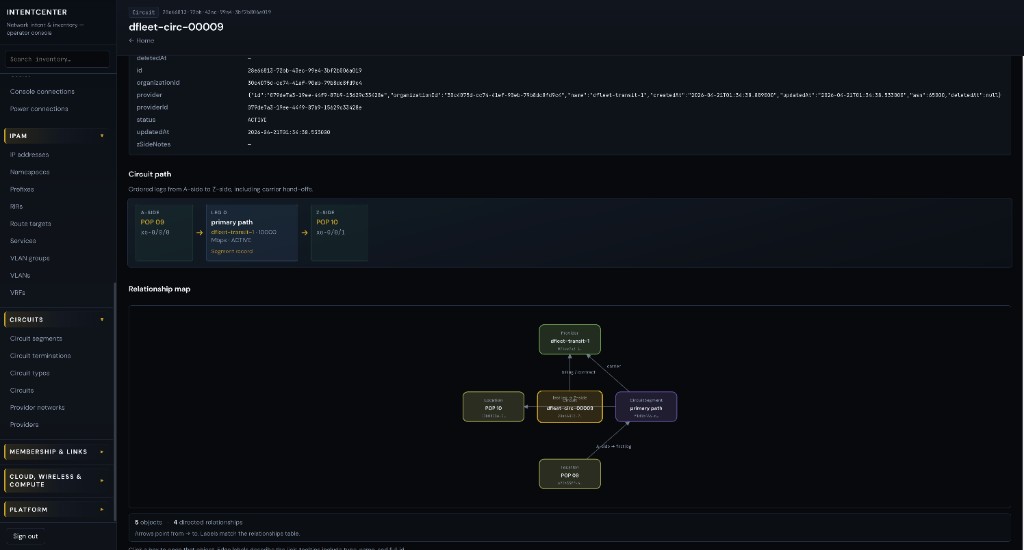
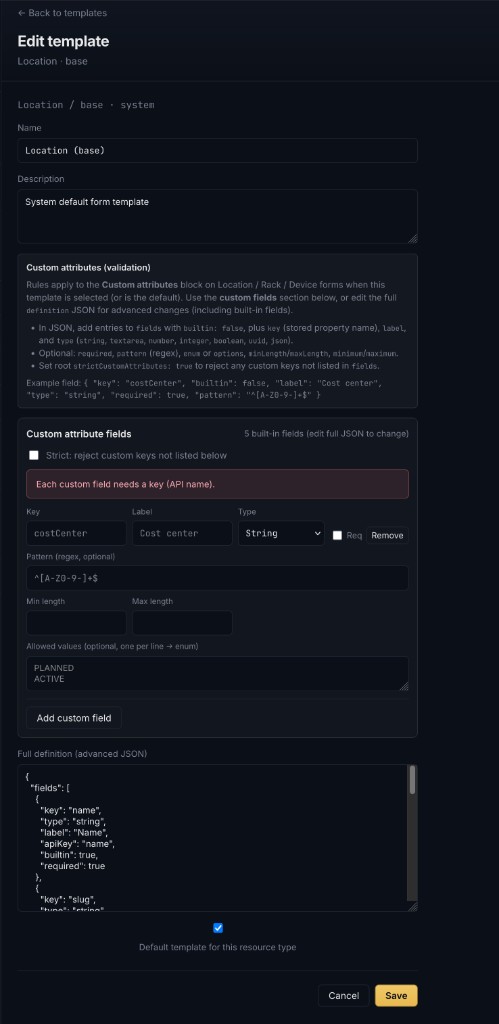
The React app (served at /app/ when built) includes:

See also platform/README.md for a short web-centric summary.

Tests & CI (platform)

In platform/:

Infrastructure-as-code and ADRs can be added alongside this skeleton as the SDLC matures.


Naming & attribution

Reference systems are discussed in cleanroom/ using Source A, Source B, etc., to avoid implying affiliation or endorsement. This project is independent greenfield work.


License

This project is licensed under the GNU Affero General Public License v3.0 (AGPL-3.0). See LICENSE. Documentation and specifications contributed here follow the same terms unless a subfolder states otherwise.


Clone & contribute

git clone https://github.com/amne51ac/intentcenter.git

GitHub Pages and publishing notes are summarized in docs/README.md.